Social Media Content Calendar: A Free Monthly Template for Small Businesses l Divyam Ads
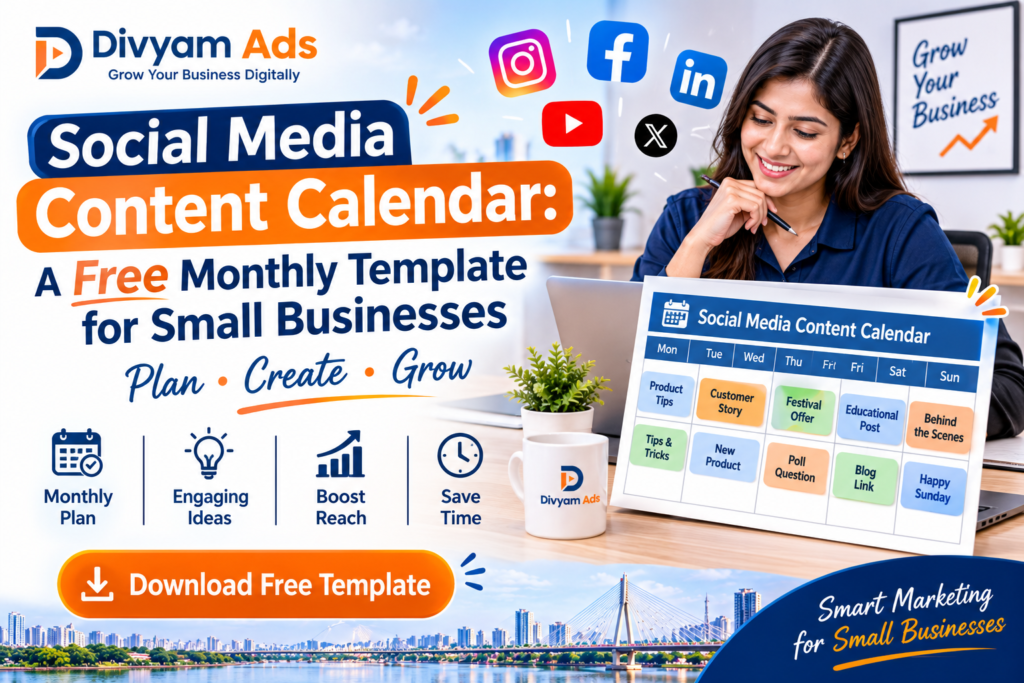
A social media content calendar is the single tool that turns random posting into a planned, consistent presence and for small businesses across India, that consistency often decides whether an account grows or stalls. Instead of deciding what to post on the morning of, a calendar maps out themes, dates, and formats in advance, so your team always knows what’s next. This matters for Indian SMEs, D2C brands, and retailers more than most owners realise, because platforms like Instagram, Facebook, and LinkedIn tend to favour accounts that post steadily rather than in bursts. Divyam Ads, a Surat-based creative, branding, and media agency, works with businesses on exactly this kind of planned content execution from calendars to campaign assets. This article gives you a practical monthly template structure and a step-by-step process to fill it in. What Is a Social Media Content Calendar? A social media content calendar is a planning document usually a spreadsheet, shared sheet, or dedicated tool that lists every post you intend to publish, along with the date, platform, caption direction, visual requirement, and status. It differs slightly from a broader content calendar, which can also cover blog articles, email newsletters, and website updates. For most small businesses, the social media calendar is the part used daily, because it answers the two questions that stall most teams: what are we posting today, and is it ready? A template removes the guesswork by giving every post a home before the month begins. Why Small Businesses Need a Monthly Content Calendar Posting without a plan tends to follow a predictable pattern: a flurry of activity in week one, silence by week three, and a scramble before a festival or sale. A monthly content calendar breaks that cycle in a few concrete ways: • Consistency: platforms tend to favour accounts that publish at a steady pace rather than in bursts, which keeps your content reaching an active audience. • Time savings: batching captions, shoot days, and approvals for the whole month is faster than making these decisions post by post. • Better quality: planning ahead leaves room to write proper captions and prepare visuals, instead of publishing whatever is ready at the last minute. • Team alignment: when a founder, marketing executive, and a designer all touch social media, a shared calendar keeps everyone working from the same plan. • Festival and sale readiness: businesses selling around Diwali, Holi, Eid, Raksha Bandhan, or regional festivals benefit from planning these dates weeks ahead instead of reacting to them. What to Include in a Social Media Content Calendar Template Whether you build your own content calendar template in Google Sheets, Excel, or Notion, a few core fields make it usable day to day. Core Columns Every Template Needs • Date and day of posting • Platform (Instagram, Facebook, LinkedIn, YouTube, and so on) • Content pillar or theme (product, educational, behind-the-scenes, UGC, offer) • Caption or caption direction • Visual or video requirement, and who is creating it • Hashtags or keywords • Call to action • Status (idea, in progress, ready, scheduled, published) A good social media content calendar template also separates recurring content like a weekly FAQ or testimonial post from one-off posts tied to a launch or sale, so you can see at a glance where the gaps in your month are. Free Monthly Content Calendar Template: How to Set It Up This structure works for most small businesses and needs no paid software to get started. Step 1: Choose Your Base Tool A Google Sheet or Excel file works well for teams of one to five people. Create one tab for the monthly overview, and separate tabs per platform if you post on more than two channels. Step 2: Set a Realistic Posting Frequency Decide how many posts per platform per week your team can realistically sustain before filling in dates. Three focused posts a week, published consistently, usually outperform seven rushed ones. Step 3: Map Out Content Pillars Group posts into four or five recurring themes for example, product highlights, customer stories, how-to or educational content, offers, and behind-the-scenes. Spreading pillars across the month keeps the page from feeling repetitive. Step 4: Fill in Festival, Sale, and Campaign Dates First Mark festivals, sale days, product launches, and any planned collaboration or event before adding regular content around them, so important dates are never an afterthought. Step 5: Assign Owners and Deadlines Add a column for who writes the caption, who designs or shoots the visual, and when each asset is due — ideally a few days before the post date, not on it. Step 6: Review and Adjust Every Month At month-end, note which posts performed well and which formats struggled, and carry those observations into next month’s calendar instead of starting from a blank page each time. Free Monthly Social Media Content Calendar Template To make this social media content calendar template easy to use, we have built it as a free interactive planner four themed weeks, posting frequency guidance, content pillars, a caption formula, hashtag strategy, and a monthly checklist, all in one place. Open the link below to view it, fill it in directly in your browser, and keep it for your own monthly content calendar: The template is organised into tabs Setup, Calendar, Content Pillars, Weekly Themes, Caption Bank, Checklist, Tracking, and KPI Review so you can plan, write, and review your monthly content calendar from a single page. Content Ideas for Different Types of Businesses Content pillars look different depending on the business. A few starting points: • Retail and local stores: new arrivals, in-store offers, customer walk-ins, festival displays, staff picks. • E-commerce and D2C brands: product demos, unboxing-style content, customer reviews, comparison posts, restock alerts. • Startups and corporate or B2B teams: founder insights, product updates, client